Microsoft released two main versions of their newest operating system: Windows 8 and Windows 8 RT. The RT edition is designed for ARM tablets, and is consequently targeted at a more niche market. I'll be looking at the standard Window 8, which is aimed at desktops, laptops, and x86-based tablets. To start off with, I'll look at the Windows 8 system requirements:

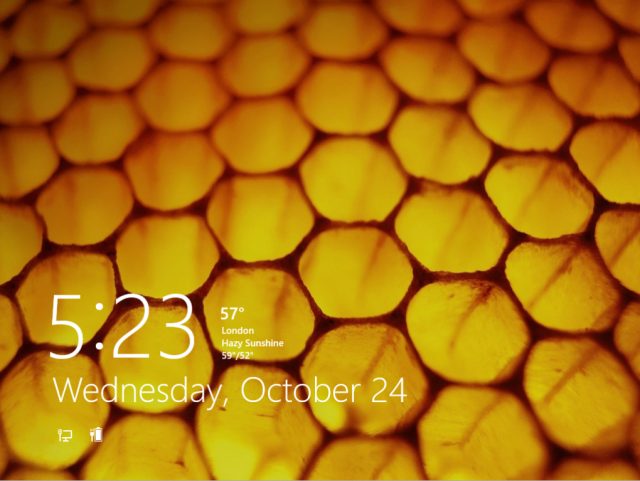
Windows installation has been a pretty painless process for many years now. Long gone are the DOS-based installations of Windows 2000 and Windows XP, instead, the installation is a fully graphical process. The Windows 8 installer, however, is even easier and faster than before. An upgrade install can be done in just under half an hour, while a fresh install from DVD takes barely over ten minutes. After installation, t he user will be greeted with a drastically revamped login screen:
 o
o
Upon first login, the user is shown a brief introduction tutorial. This hints at the significant changes in the Windows 8 interface--a tutorial has not been included with Windows since XP was released back in 2001. Upon completing the tutorial, the user sees the major change in Windows 8: the Metro UI
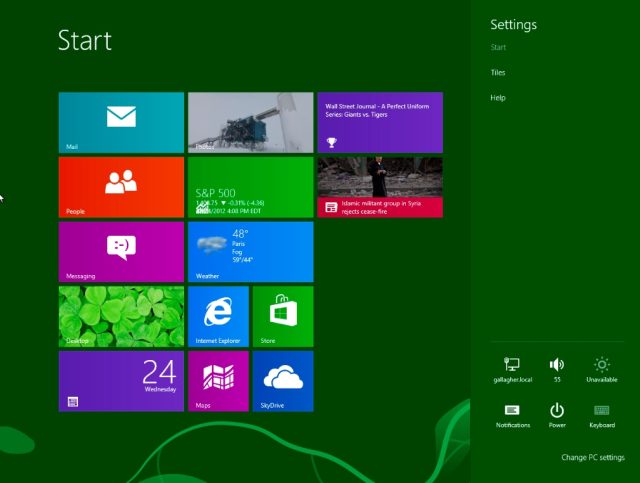
One of Microsoft's goals with Windows 8 was to create a single unified operating system that would work on "traditional" PCs (desktops and laptops) and tablets. The end result is Metro: a user interface with large, touch-friendly icons (some of which can be set to animate). Metro is the default interface that Windows 8 will boot to each time, although the "classic" desktop is retained, with a few changes:
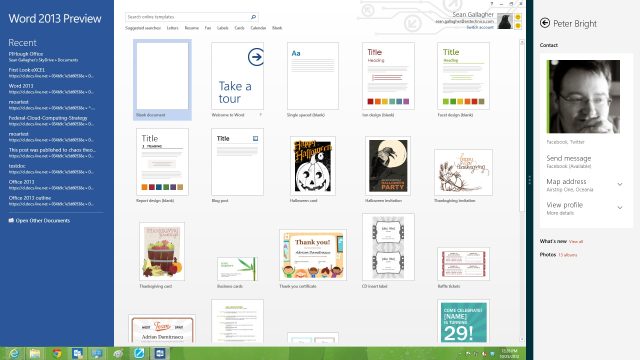
Ignoring user complaints, Microsoft has completely torn out the start menu. I personally believe that this was a terrible choice--even if the start menu came disabled by default, it should have been left as an option. The Windows 8 default theme is also boxier than in any version since Windows 2000--part of Microsoft's attempts to give Windows a visual overhaul.
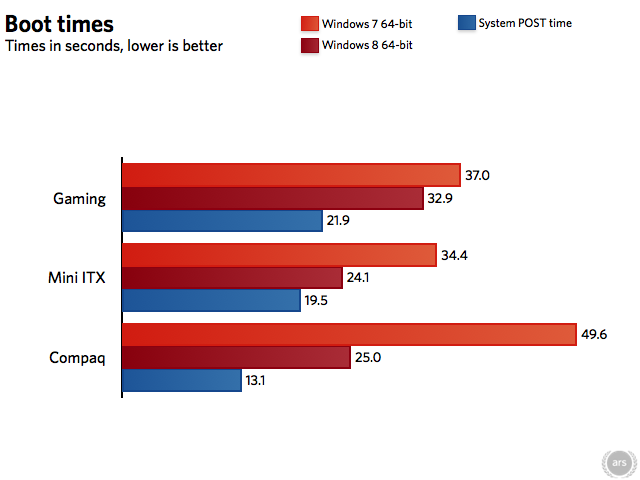
Perhaps the most pressing question about Window 8 is how does it perform? While the new interface may be frightening, many people can be won over by performance numbers that show a convincing boost. Fortunately, Window 8 is generally as fast as or faster than Windows 7:

Will I be buying Windows 8? No. I see the new interface as too much of a disruption, and I'm going to be sticking with the Windows 7 interface I love dearly. However, Microsoft would clearly like Windows 8 to be the future. Whether or not it catches on will have an enormous impact on the manner in which we use computers for work and play.

No comments:
Post a Comment